Payment Receipts with fees included
Last updated 7 months ago
Tax compliant payment receipts can be sent to your customer showing them the amount of the payment and any on-charged fees that may have been levied.
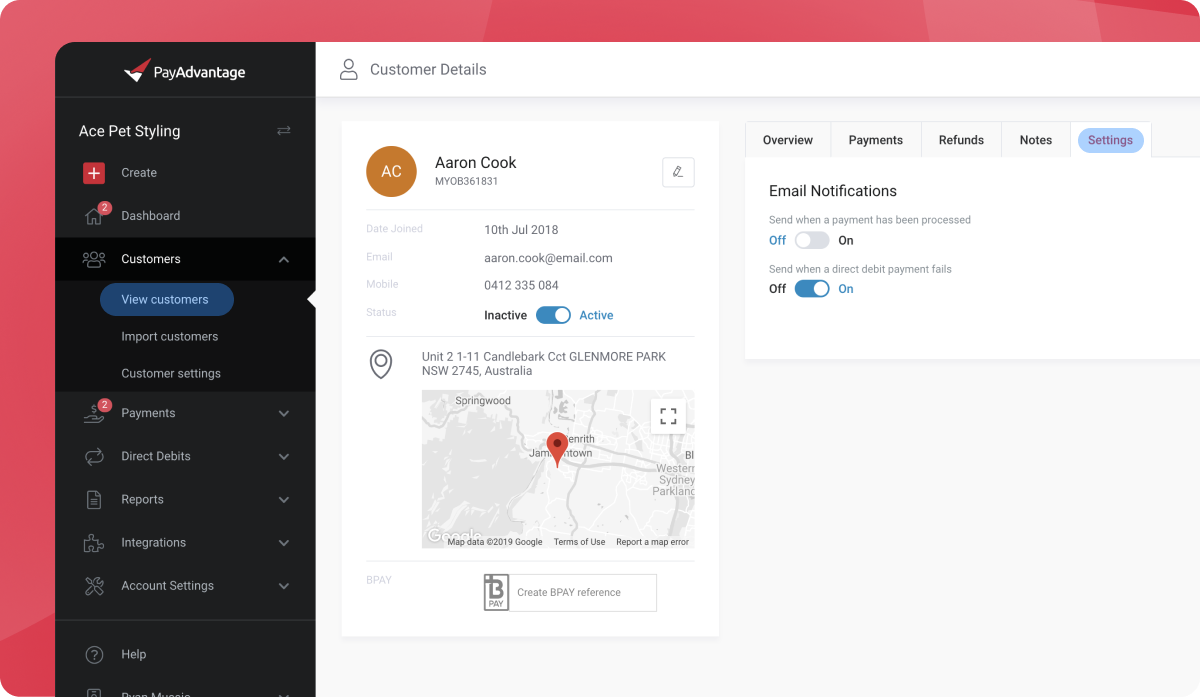
This can be done automatically by opening the customer and turning on the feature their email notifications to Send when a payment has been processed. This will automatically send your customer the relevant receipt whenever a payment is generated.
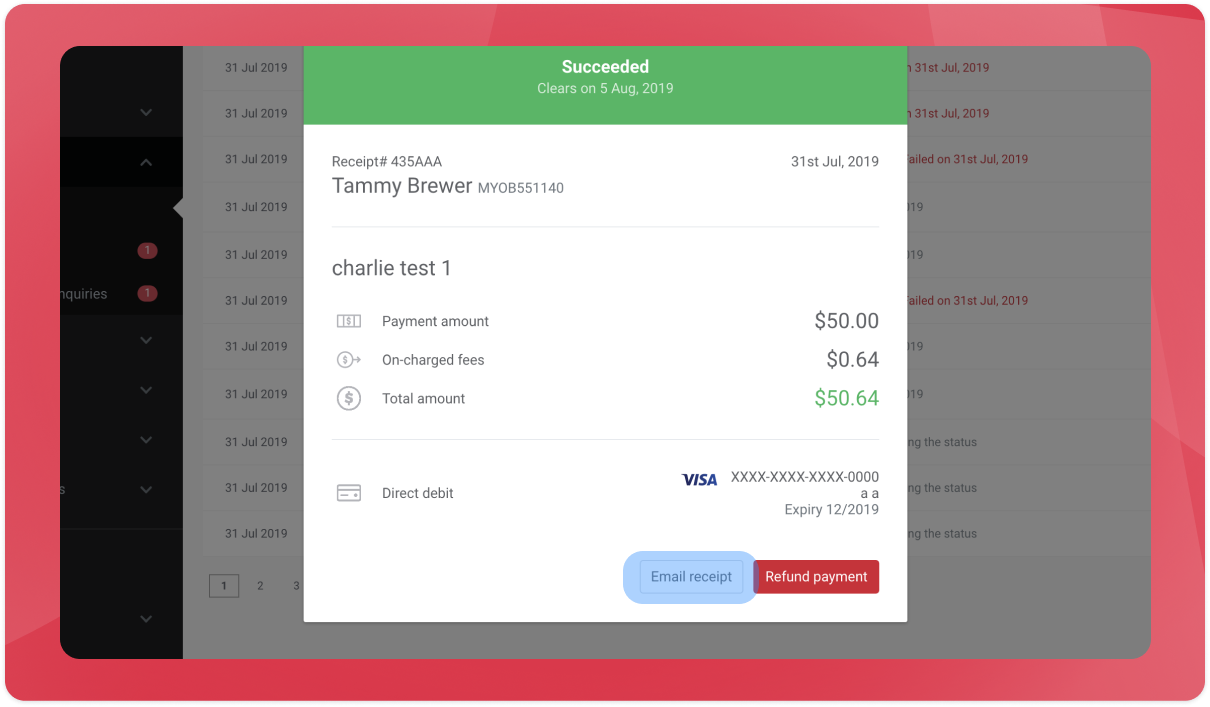
Alternatively you can send a payment receipt for an individual payment by opening the relevant payment and clicking on the Email Receipt option.
Was this helpful?
Still need help? Ask the team