Viewing Your Transaction Fee Summary
Last updated 20 days ago
Pay Advantage makes it easy to keep track of the transaction fees charged to your business, giving you a clear breakdown of your payment processing costs.
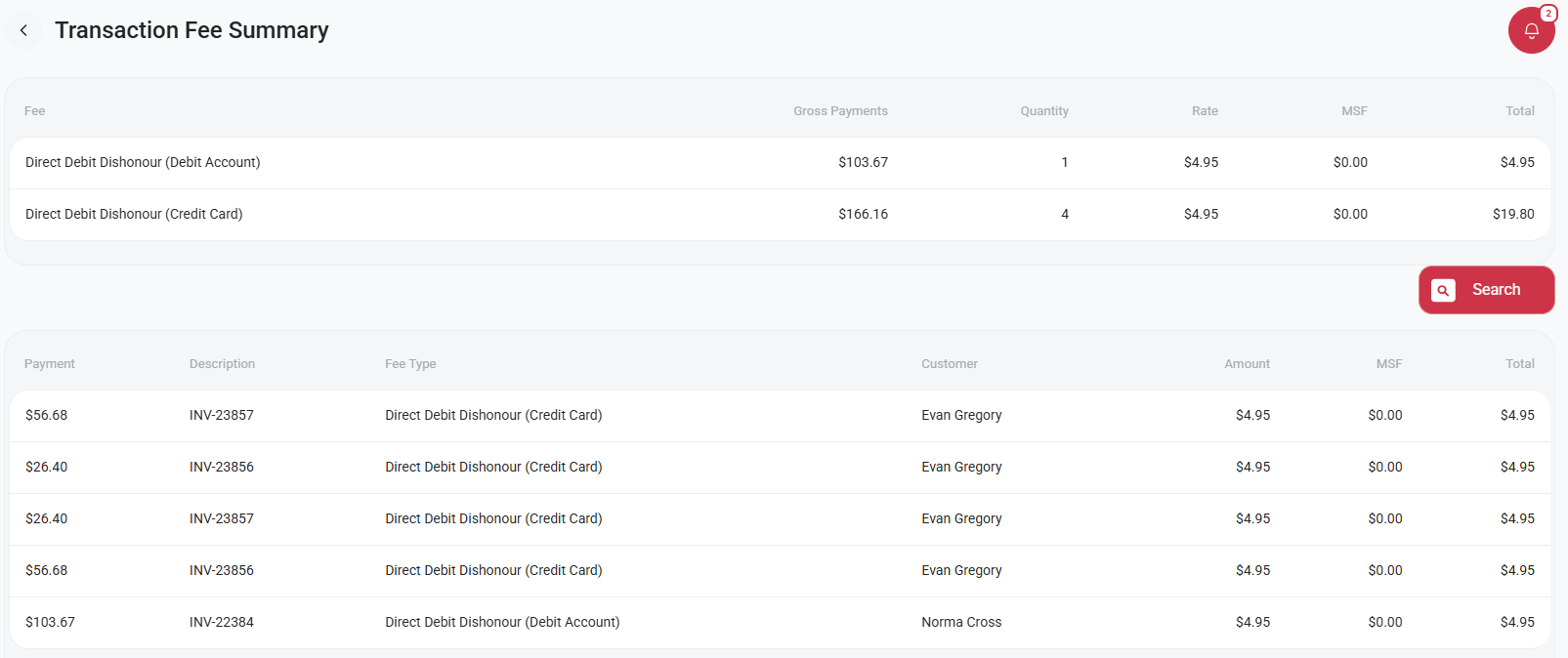
The Transaction Fee Summary allows you to view the fees you've been charged and identify which customer payments they relate to. This is particularly helpful for reconciling your accounts, reviewing payment costs and keeping track of your business expenses.
How to View Your Transaction Fee Summary
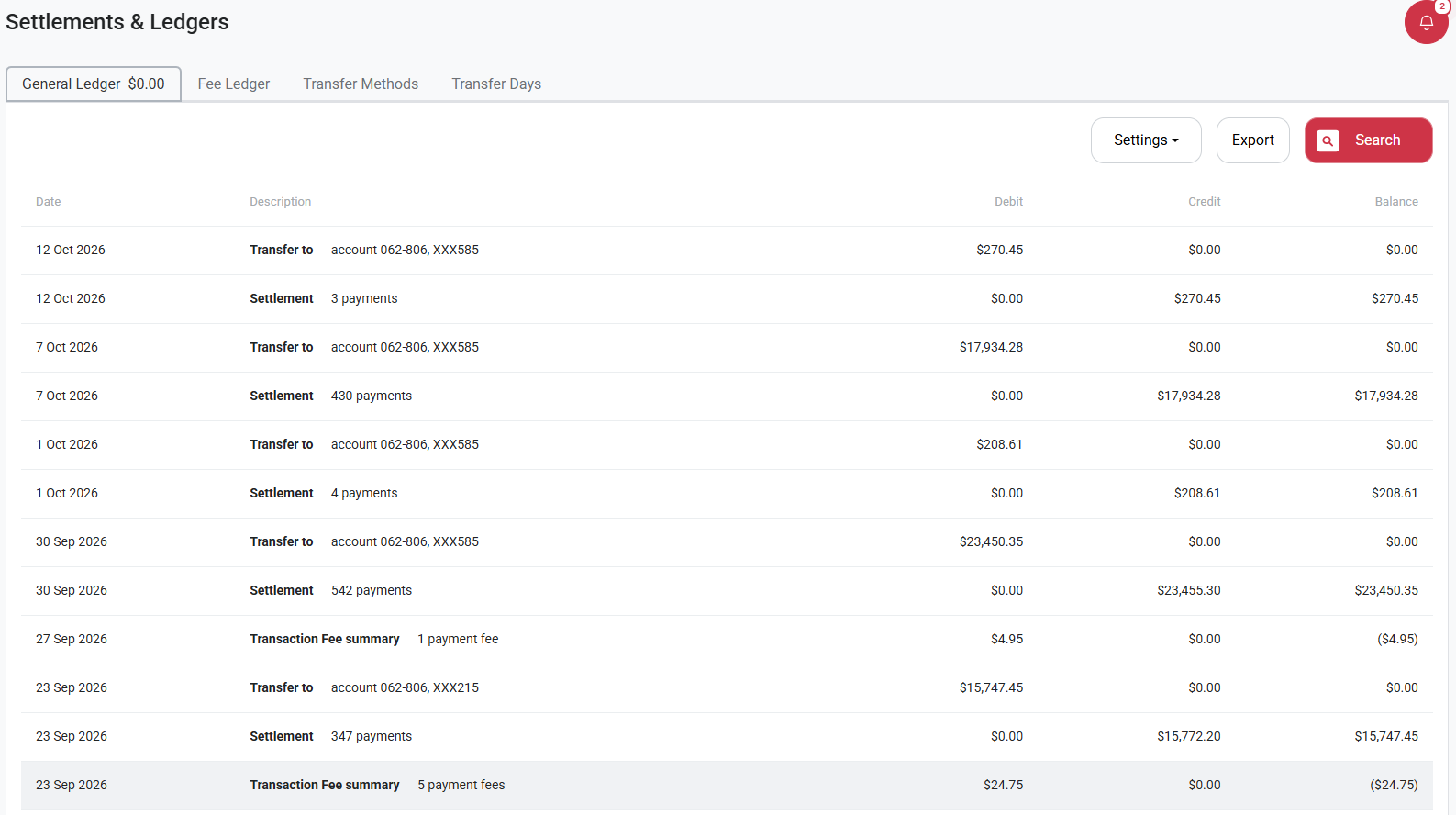
Select Account from the left-hand menu.
Click on Settlements & Ledgers.
Select Transaction Fee Summary.
From here, you'll be able to view a breakdown of the transaction fees charged to your business, including the customer payments associated with each fee.
Was this helpful?
Still need help? Ask the team