Bulk Direct Debit Changes
Last updated 23 days ago
You can make changes to multiple direct debits at once using Bulk Actions from the Direct Debit List. This makes it easier to update payment accounts or recurring amounts across multiple direct debits without having to update each one individually.
With Australia’s card surcharge ban taking effect from 1 October 2026, these tools can also help you prepare for changes to how payment costs are managed whether that means encouraging customers to move to a different payment method or adjusting recurring direct debit amounts in bulk.
Change Payment Accounts
The Change Accounts bulk action allows you to send payment account update links to multiple customers at once.
This is helpful when you need to move multiple customers to a different payment method, without contacting or updating each direct debit individually. For example, following changes to card surcharging, you may want to give customers the option to switch from card payments to bank account direct debit.
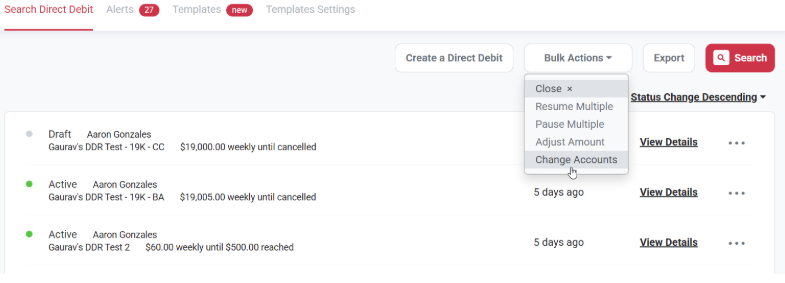
To get started, click on the Direct Debits tab on the left hand side menu panel of your account. Then select:
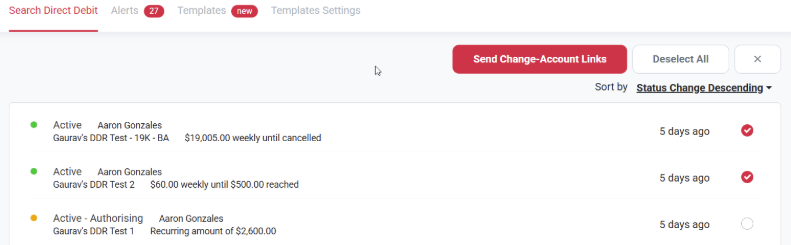
Bulk Actions > Change Accounts > select the relevant direct debits from the Direct Debit List
How emails are sent
Pay Advantage will send the change account links to your customers by email.
Emails are grouped by the customer's payment account. If multiple selected direct debits belong to the same customer and use the same payment account, the customer will receive one email listing the relevant direct debits rather than a separate email for each one.
When the customer follows the link, they'll see the direct debits associated with that payment account and can choose which ones they would like to update.
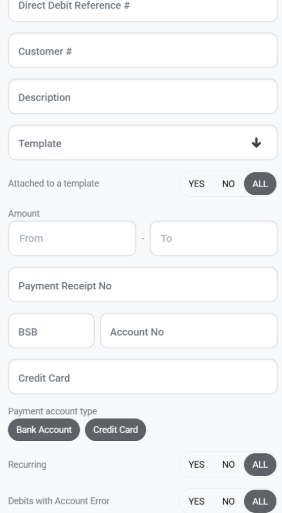
Filter by payment account type
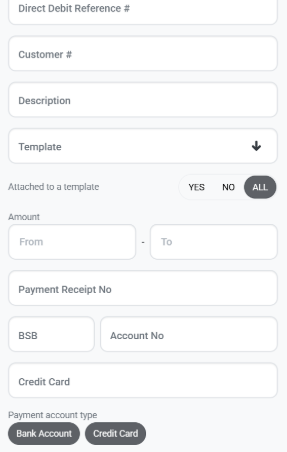
You can use the Payment account type filter on the Direct Debit List to quickly find direct debits using either:
Credit card
Bank account
This filter is also available when exporting your Direct Debit List to CSV.
Update Direct Debit Amounts
The Adjust Amount bulk action allows you to update the recurring amount for multiple direct debits at once.
This is helpful when you need to apply the same pricing change across multiple customers, such as updating recurring fees or adjusting your pricing structure to account for changes in payment costs. Instead of editing each direct debit individually, you can make the adjustment across multiple direct debits in one action.
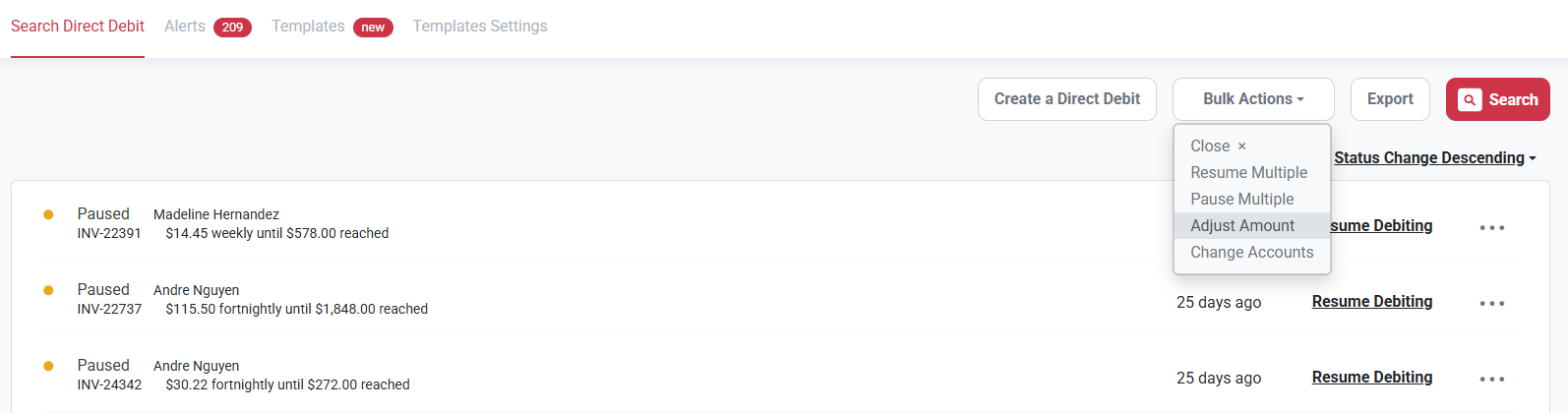
To get started, click on the Direct Debits tab on the left hand side menu panel of your account. Then select:
Bulk Actions > Adjust Amount > select the relevant direct debits from the Direct Debit List
You can adjust the recurring amount by:
A percentage of up to 10%, or
A fixed dollar amount.
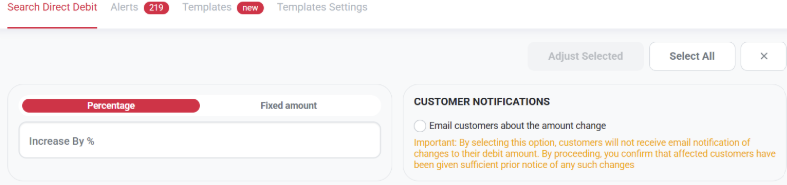
Customer notifications
By default, Pay Advantage will automatically email affected customers to let them know their direct debit amount has changed.
You can choose not to send this notification when completing the bulk update. A warning will be displayed before you proceed if customer notifications are turned off.
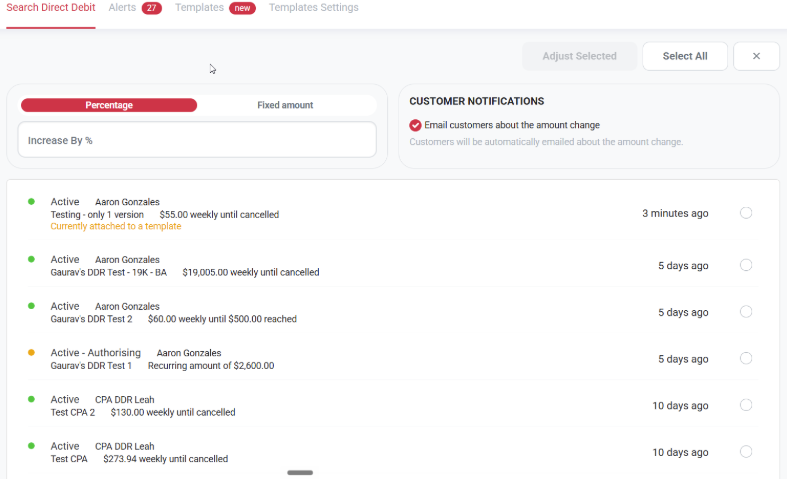
Direct debits attached to templates
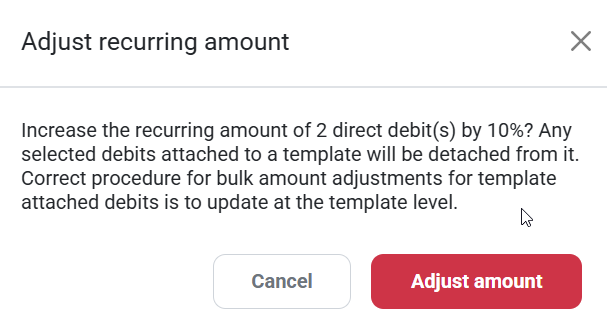
If a direct debit is currently attached to a template, changing its amount using the bulk adjustment feature will detach it from that template.
You'll be shown warnings during the process so you can review this before confirming your changes.
You can also use the new Attached to a template filter on the Direct Debit List to identify and filter these direct debits before performing a bulk action.
Was this helpful?
Still need help? Ask the team