Xero Repeating Invoices
What Xero repeating invoices are, and how Pay Advantage can pay them automatically as they fall due.
Last updated About 1 hour ago
What are repeating invoices?
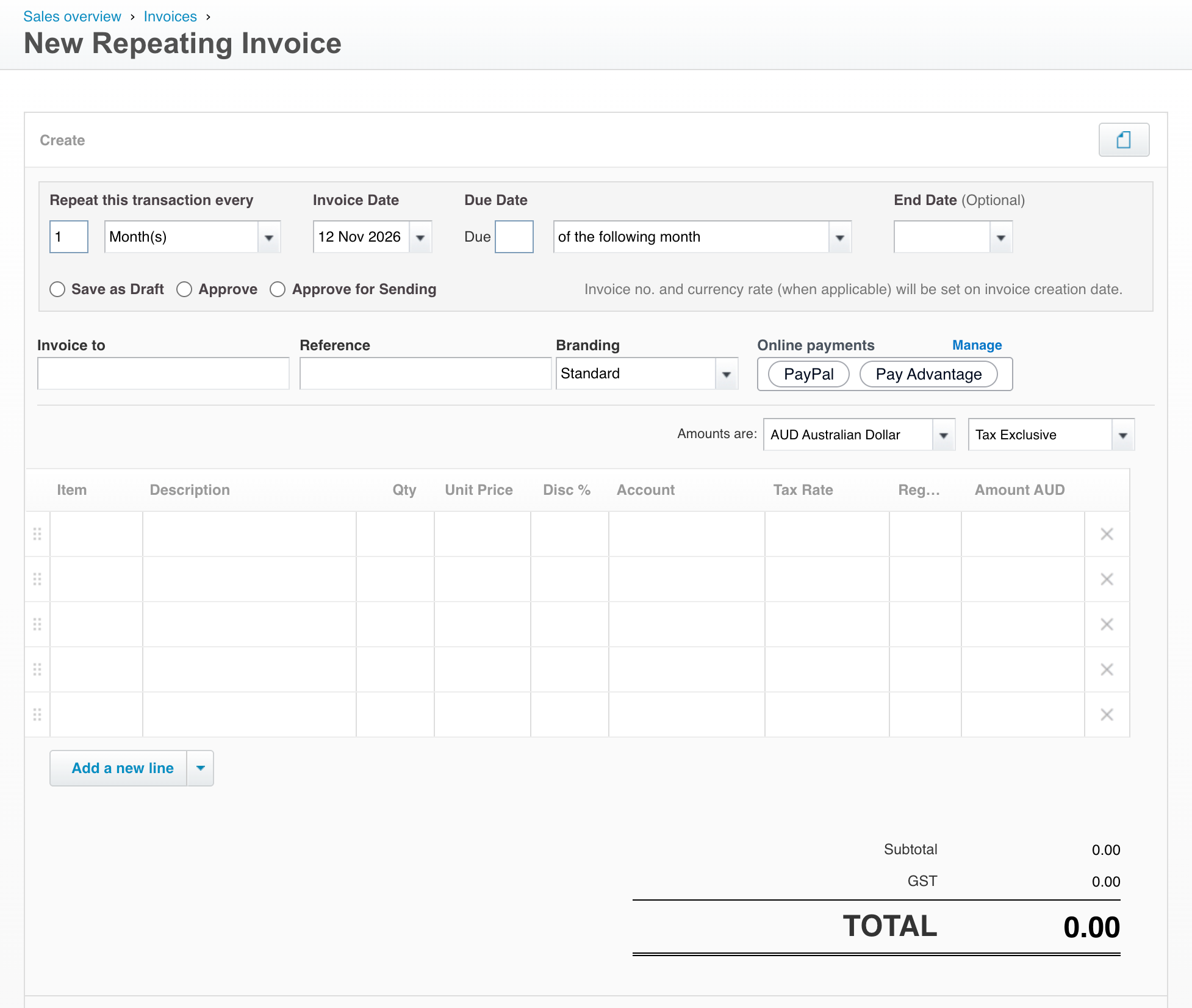
A repeating invoice in Xero is a template that creates a new invoice for a customer on a regular schedule, such as weekly, monthly or yearly. They suit regular charges like memberships, retainers, rent, service plans and subscriptions.
When you set up a repeating invoice, Xero lets you choose whether each new invoice is saved as a draft, approved, or approved and sent to the customer automatically.
Getting repeating invoices paid automatically through Pay Advantage
Normally your customer has to pay each new invoice in the series themselves. With Pay Advantage, they authorise payment once and every later invoice in the series is paid automatically. You keep managing billing in Xero, and you don't need to set up a separate direct debit.
Your customer opens the Pay Now link on an invoice in the series.
Because the invoice is part of a repeating series, they are asked to set up automatic payments by adding a card or bank account and signing the authority. That invoice is paid straight away.
Each new invoice Xero creates from the template is charged automatically on its due date, or a set number of days after it, and reconciled in Xero.
Payments are never taken before an invoice is due, and each invoice is charged as its own payment.
Tip: Set your repeating invoices in Xero to Approve or Approve for sending. Pay Advantage only schedules payments for approved invoices, so invoices saved as drafts won't be charged until you approve them.
Set it up
Turn this on under Settings > Xero Settings by choosing Repeating invoices only (or All invoices) in Automatic Payment of Invoices.
For the full steps, what your customer sees and how to manage your agreements, see Automatically pay Xero invoices with Charging Agreements.
Related articles
Was this helpful?
Still need help? Ask the team