Payment Methods and Fee Settings
Last updated 23 days ago
Payment Methods
Your Payment Settings give you greater control over which payment methods your customers can use and when they're available. These settings flow through to your Payment Portal pages and Xero invoices, helping you guide customers towards payment methods that work best for your business.
This can be particularly helpful when managing payment costs. You can continue accepting card payments where they make sense, while encouraging customers to use lower-cost payment methods for larger payments.
Manage Card Payments
Under Payment Methods, you can choose whether to accept credit and debit card payments or set a maximum amount for card payments.
For example, if you set a maximum card payment amount of $500, card will not be available as a payment option for payments over $500. Customers will instead need to choose from the other payment methods you have enabled.
You can also turn card payments off completely if you no longer want to offer them.
To manage your payment methods, go to:
Settings > Payment Settings > Payment Methods
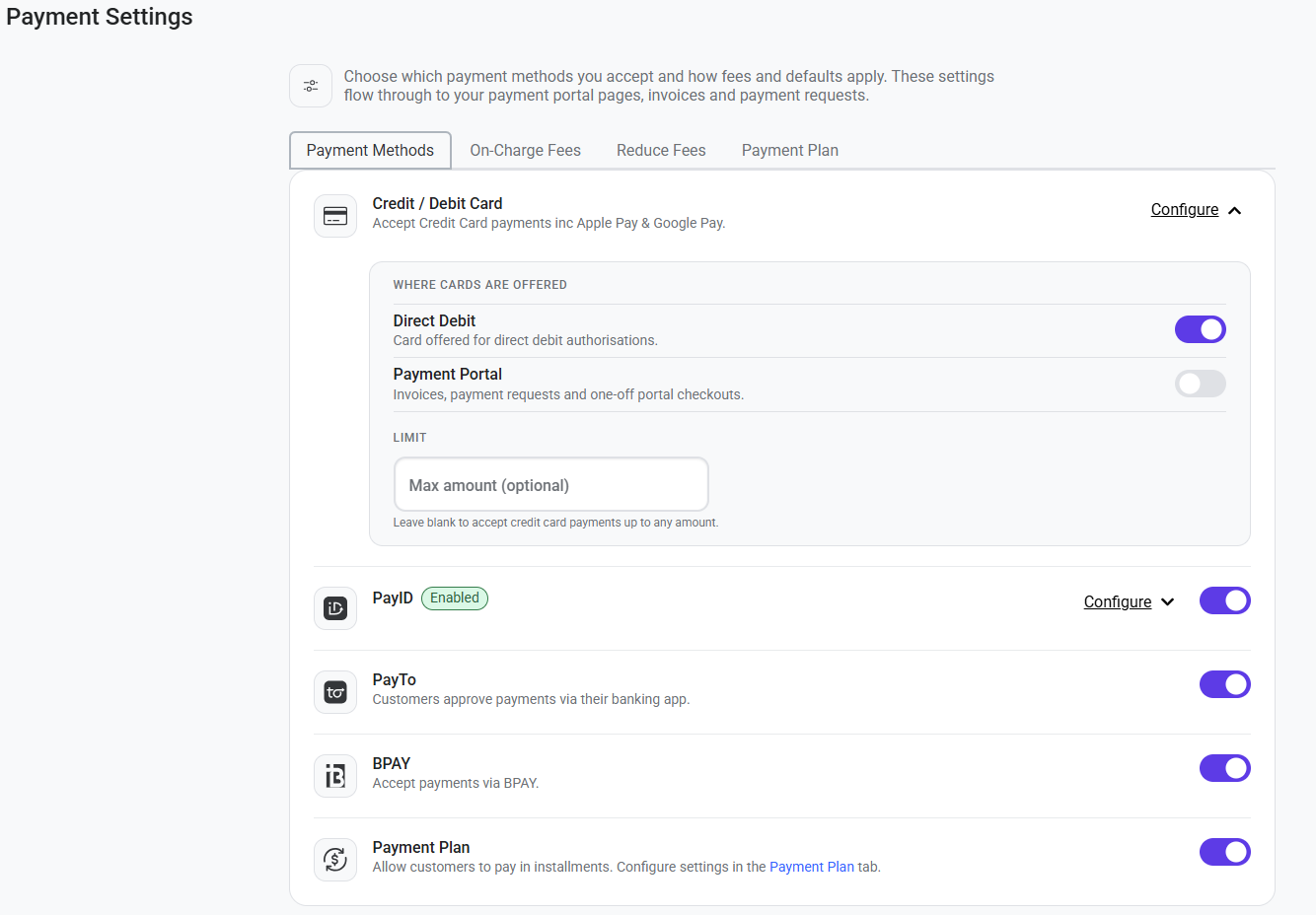
Use Payment Settings with Change Account Links
These settings can also help you manage payment methods for your existing direct debits.
For example, after setting a maximum amount for card payments, you can use Bulk Actions > Change Accounts to send change account links to existing direct debit customers.
Where a direct debit amount is above your card payment limit, card won't be available when the customer updates their payment account. This allows you to direct higher-value payments towards other available methods, such as bank account direct debit.
Using these features together can help you manage processing costs while still giving customers appropriate payment options.
Fee Settings
On-Charge Fees gives you control over which eligible payment and Direct Debit fees are passed on to your customers, helping you manage the costs associated with accepting and processing payments.
To manage your on-charge settings, go to:
Settings > Payment Settings > On-Charge Fees
From here, you can manage on-charging for available payment methods and Direct Debit fees.
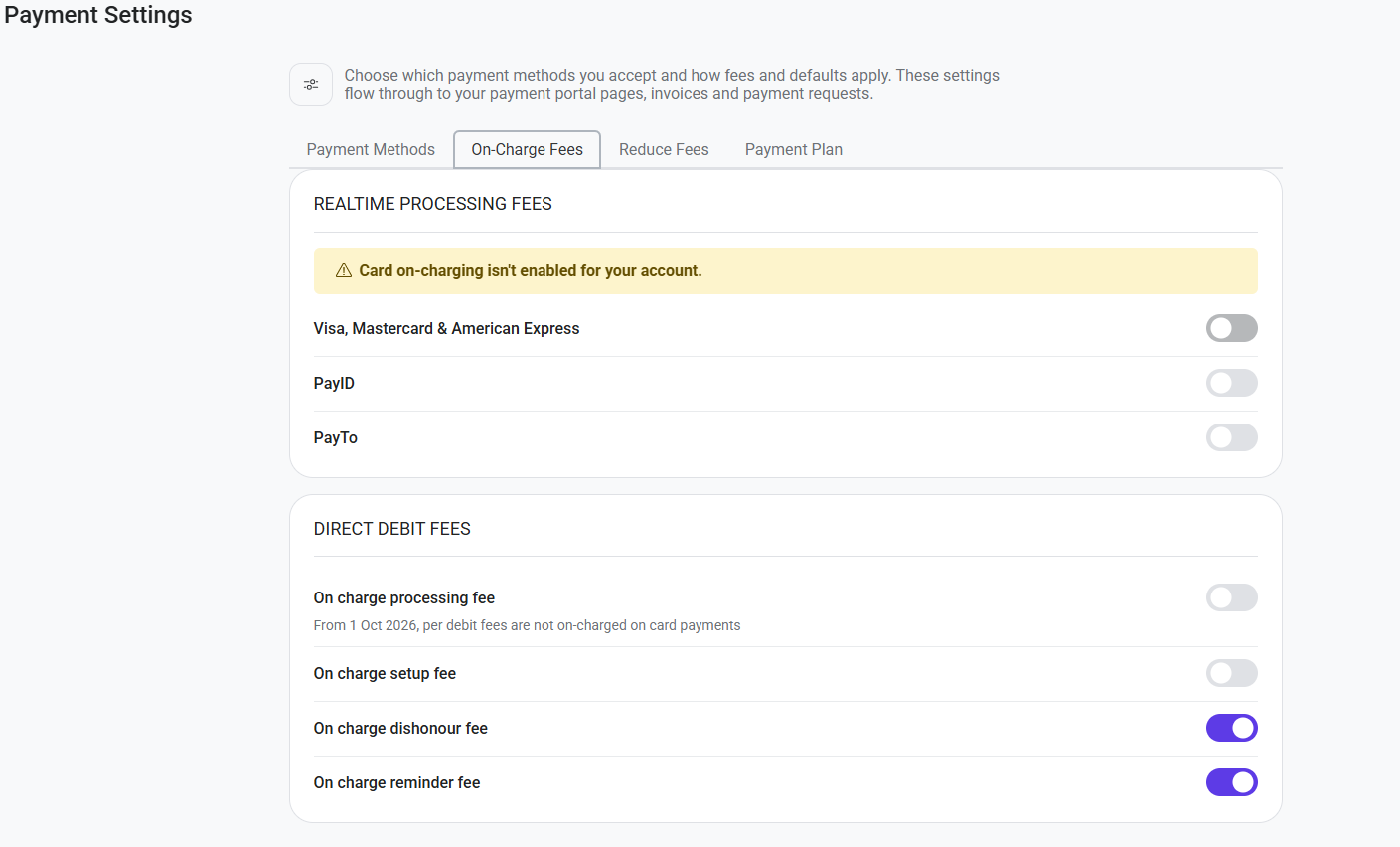
Realtime Processing Fees
Choose which eligible payment processing fees you'd like to pass on to your customers.
Where on-charging is enabled, the applicable processing fee is added to the amount your customer pays.
Card On-Charging in Australia
Card on-charging is not currently available in Australia. If you're an Australian merchant, you'll see a message advising that card on-charging isn't enabled for your account, and the Visa, Mastercard & American Express setting cannot be turned on.
You can still manage on-charging for other eligible payment methods available to your account, including PayID and PayTo.
Direct Debit Fees
You can also choose which eligible Direct Debit fees you'd like to pass on to your customers.
These include:
Processing fees
Setup fees
Dishonour fees
Reminder fees
Each fee can be managed independently, giving you control over which eligible costs your business absorbs and which are passed on to your customers.
For Australian merchants, Direct Debit processing fees cannot be on-charged to customers for card payments from 1 October 2026. Where this applies, the option will be unavailable within your Payment Settings.
Was this helpful?
Still need help? Ask the team