Exporting Payment & Settlement Reports
Last updated 7 months ago
You can export reports from Pay Advantage to view payments received or settlements paid into your account over a specific time period.
Exporting a Payments Report
To view payments processed through the portal:
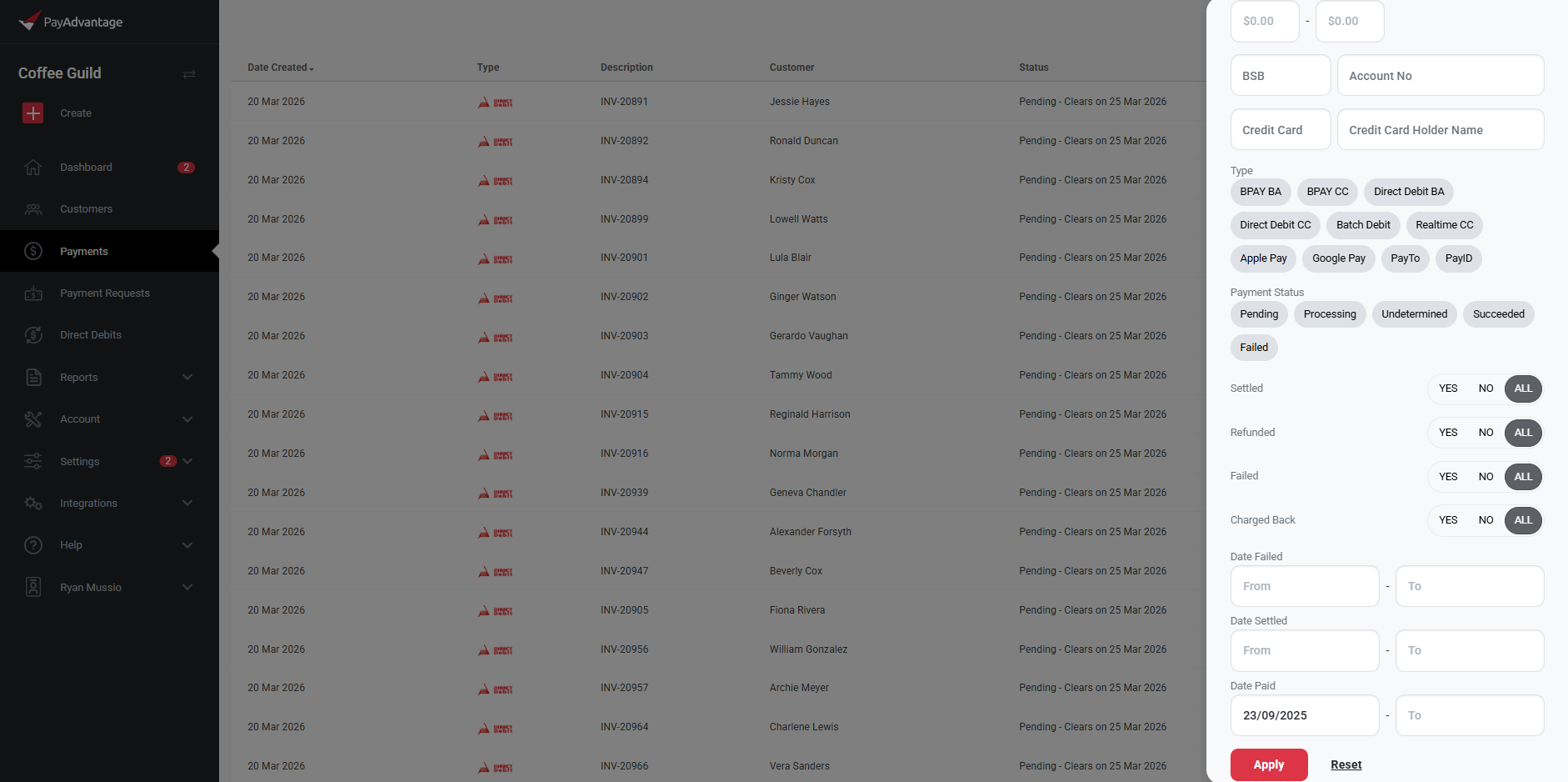
Click the Payments tab in the left-hand menu.
Click the Search tab in the top right-hand corner.
Under Date Paid, enter your required date range.
Click Apply.
This will generate a list of all payments received within the selected time period.
To export the report:
Click the Export (.CSV) option in the top right-hand corner.
Exporting a Settlements Report
To view settlements (funds that have been deposited into your bank account):
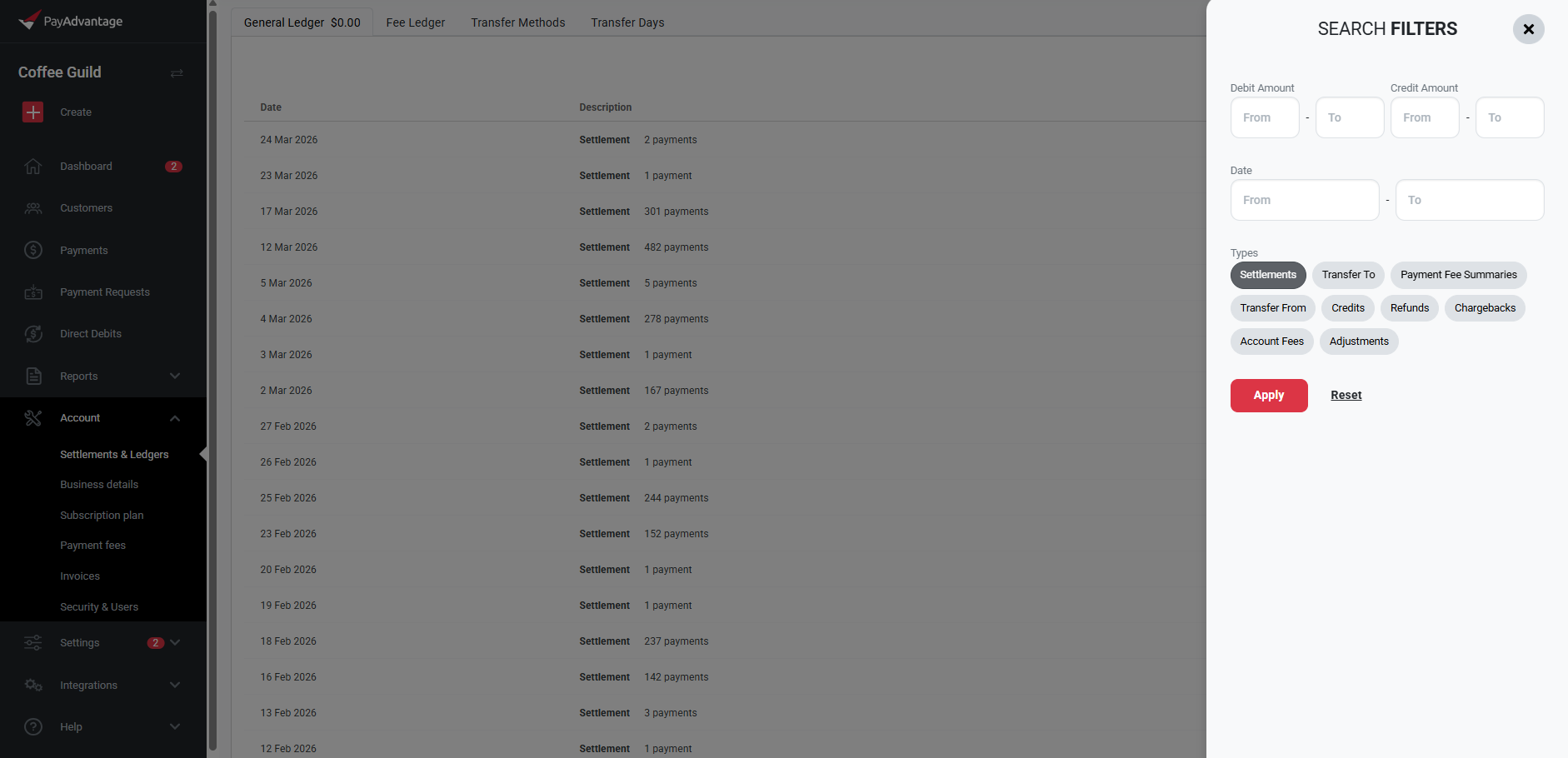
Click the Account tab in the left-hand menu.
Select Settlements & Ledgers.
Click the Search tab in the top right-hand corner.
Under Types, select: Settlements.
You can also filter by a specific date range if required.
Click Apply.
This will display a list of settlements paid to you within the selected criteria.
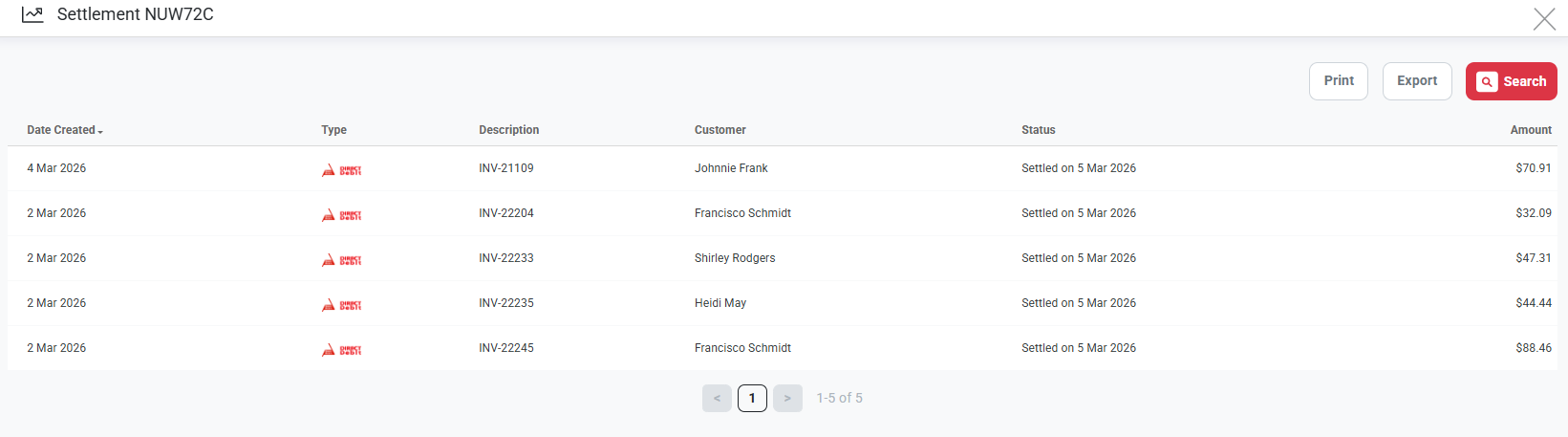
Select a settlement to view a detailed breakdown of all payments paid to you within that settlement.
To export the report:
Click the Export (.CSV) option in the top right-hand corner.
This allows you to easily track, reconcile, and report on payments and settlements within your account.
Was this helpful?
Still need help? Ask the team